AI & Creative Workflows · Case Study
AI Fashion Lab
An automated lens for the discerning eye — transforming form, texture and colour into actionable fashion insights.
01 — The Brief · The problem & the goal
Translating a single fashion image into something usable usually requires several separate tools: a colour picker for the palette, a notes application for the outfit description, and a caption writer for social media. The process is slow and disjointed.
The goal was to create one calm interface that performs all three tasks. It reads an image, extracts its colour palette, describes the outfit and drafts ready-to-post captions—while allowing the user to edit every result before copying it.
02 — The Flow · How it works
- 1
Upload a look
Upload a fashion photograph, editorial image, costume reference or street-style look.
- 2
Analyze the image
The AI reads colour, form and texture, then returns a palette, composition notes and captions.
- 3
Edit & copy
Every result can be edited by hand before being copied and used in the creative workflow.
03 — Inside the Tool · The interface
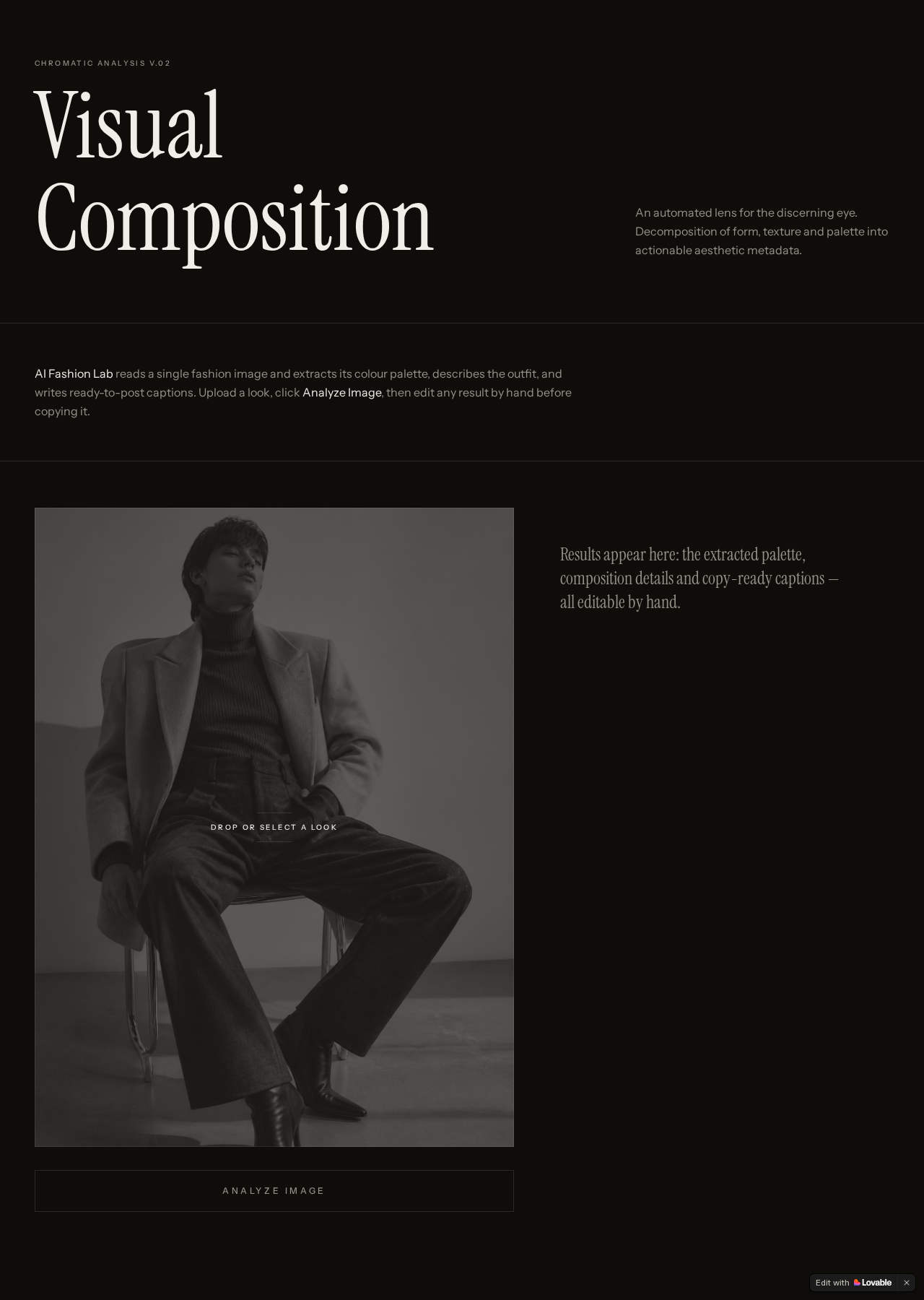
A dark editorial workspace keeps the uploaded photograph at the centre of the experience. Results appear in clear sections: an extracted colour palette, composition details and editable captions with different tones.


Example — Extracted Palette
Deep Claret
#541725
Blush Nude
#D1B3AB
Charcoal Grey
#474A51
Gloss Black
#18191E
Kraft Brown
#B68D6E
“A sophisticated cold-weather look featuring a structured burgundy wool funnel-neck coat, soft beige knit and tailored charcoal elements.”
AI-generated composition details — fully editable
04 — Built With · Technology & tools
- React
- A responsive application interface with a streamlined user flow.
- AI Vision Analysis
- Image analysis for palettes, clothing descriptions and captions.
- Editorial Design System
- A restrained visual language designed around fashion imagery.
- Lovable
- Used to build, test and publish the live AI application.
05 — Reflection · Outcome & what I learned
AI Fashion Lab transformed a fragmented workflow into one calm creative surface. The key design decision was deciding where the AI should stop.
Making every result editable keeps the creative professional in control and positions AI as a collaborator rather than a final authority.
The interface also demonstrates the value of restraint. A quiet, dark workspace allows the imagery and extracted information to remain the focus.
See it for yourself
Upload a fashion image, select Analyze, then edit and copy the generated results.
Open AI Fashion Lab →